 Open Nock
Stay with your archers.
Tap a mark, check the end, and move on when you’re ready. Device saves and server receipts have their own clear status.
Club scoring · Practice · Coaching
Every arrow tells you something. Open Nock helps your club capture the score, keep the context, and see what comes next.

Real application screens, captured Nov 22, 2026. Synthetic archers.
About this previewEvery arrow matters
From the scorer at the range to the coach planning the next session, keep one clear record of what happened.
Tap a mark, check the end, and move on when you’re ready. Device saves and server receipts have their own clear status.
Review totals alongside coverage, incomplete ends, and coaching notes. Missing arrows stay missing, rather than becoming zeroes.
Adults use invited club accounts. Spectator and venue views are enabled separately, with archer numbers or names chosen by the club.
Inside Open Nock
These are captures of the running application, using its built-in sample club. Open a screen to see it in detail.
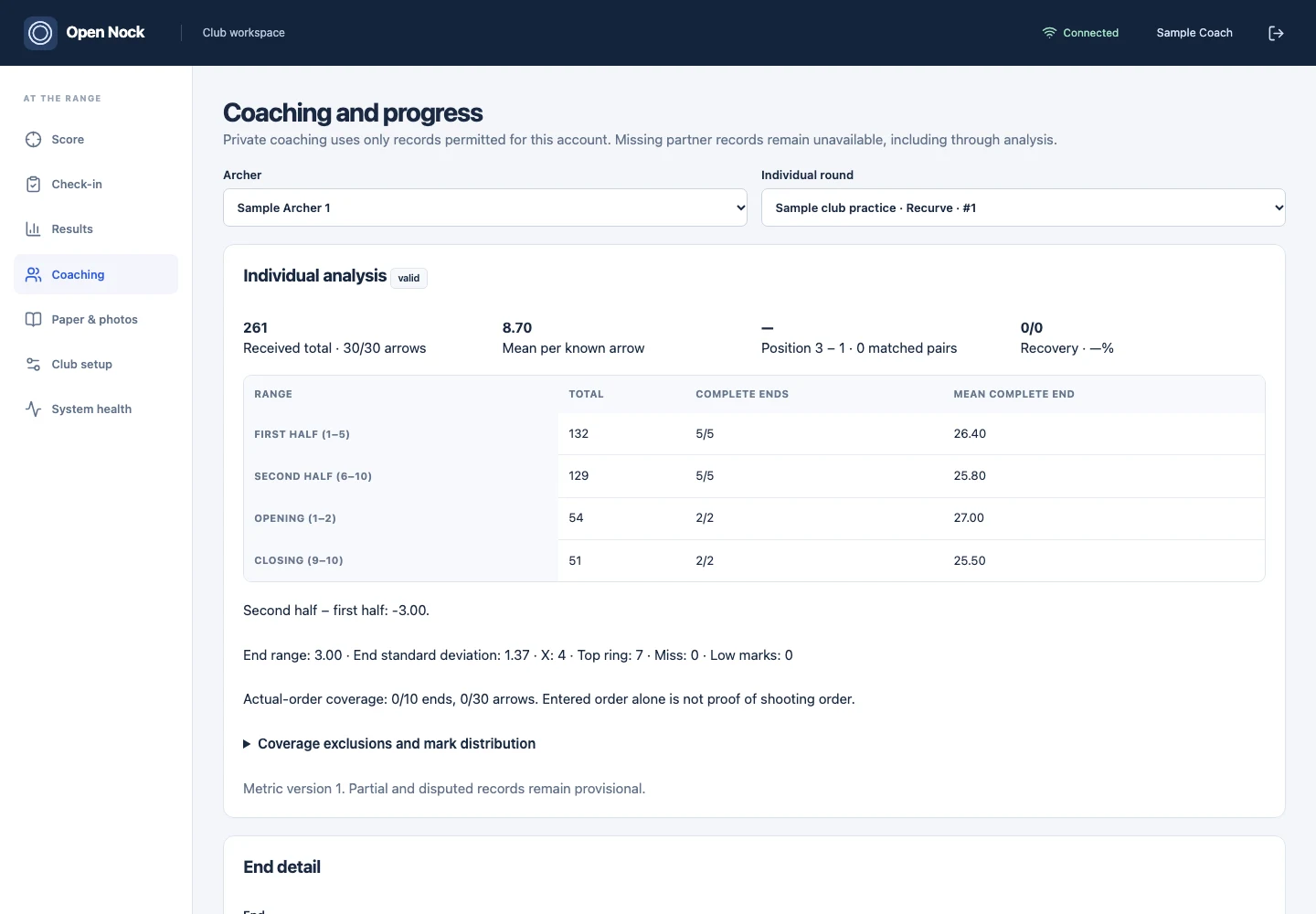
Explore the arrows behind a total. Review individual rounds, compare eligible practice and competition records, and keep private coaching notes.
Read the coaching guide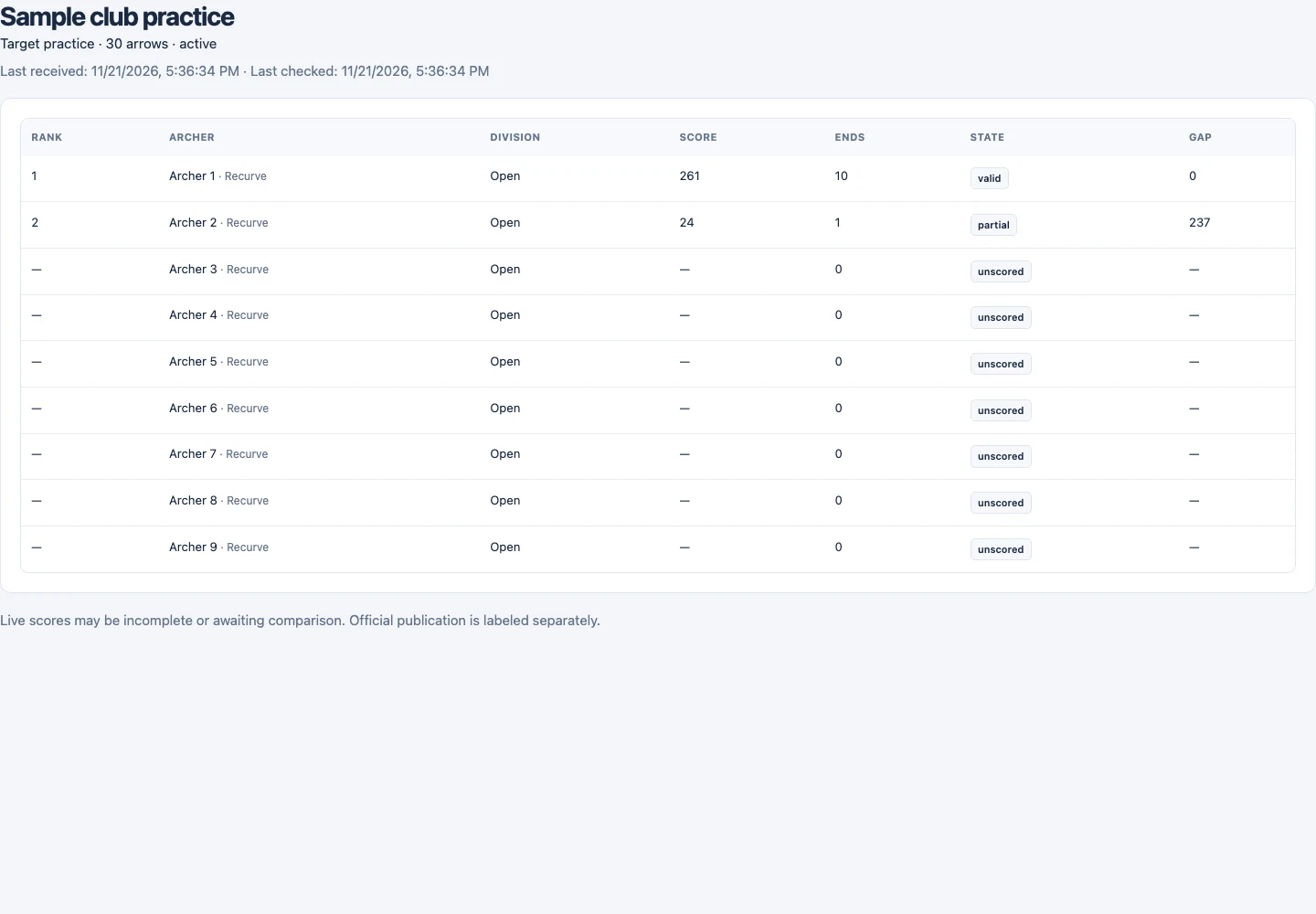
Share the results the club has enabled. Partial scores keep their status, and official publication remains a separate step.
Explore the public results exampleThe example is a fixed, read-only snapshot. No real club records or private source materials are included.
Open documentation
Practical guides for the people setting up, scoring, and reviewing a club session. No sign-in needed to read them.
Follow the progress
Open Nock is in development. Explore the product, browse the guides, and come back here for updates.
We are not collecting email registrations at this time.
Explore the user guide